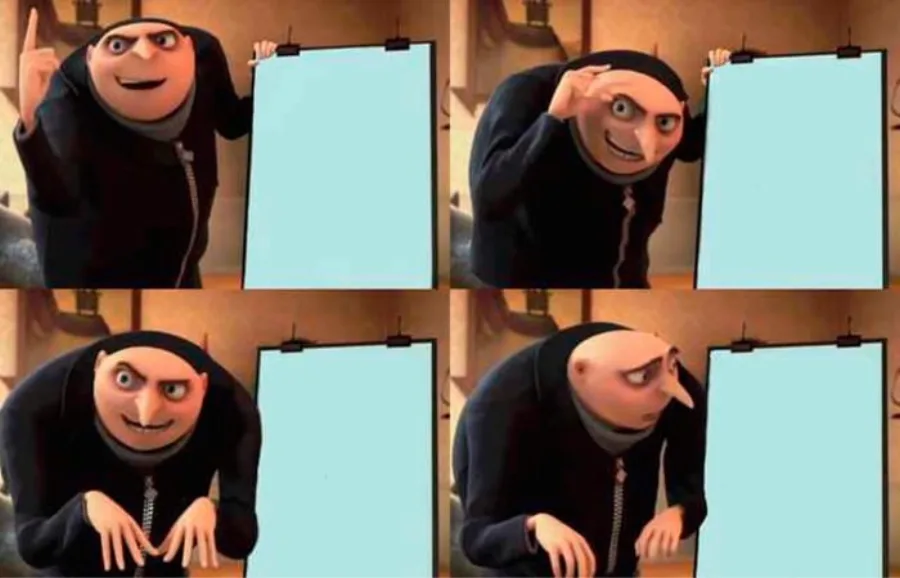
Blank Gru's Plan template
Use the Download blank template button to save blank four-panel gru's plan meme presentation template without added captions or a GottaMeme watermark. You can edit the clean file here or use it in another image editor.
Build a Gru's Plan meme with the real four-panel presentation template. Explain the plan, reveal the flaw, and download the blank image.
Daily free: 10 AI captions · 2 AI visuals. Manual editing, sharing, and downloads stay unlimited.
Drag the selected caption directly on the image. Arrow keys work too.
Gru's presentation scene from Despicable Me became a four-step storytelling format: establish a confident plan, repeat the fatal flaw, then pause as the realization lands.
Use the Download blank template button to save blank four-panel gru's plan meme presentation template without added captions or a GottaMeme watermark. You can edit the clean file here or use it in another image editor.
Start with the situation, remove anything the image already explains, and make the final phrase the payoff. The editable starter “AUTOMATE THE TASK / SPEND ALL DAY AUTOMATING IT” shows the intended caption structure.
Give each side or stage one distinct idea and keep the wording structurally consistent. The contrast should be understandable before the viewer reads every word.
This template works especially well for failed plans, project retrospectives, developer humor, and four-step stories. Try a concrete variation such as “Launch early, discover the missing step,” then rewrite it around your own context.
Yes. You can edit the template and download a PNG for free with no GottaMeme watermark.
Yes. Use the Download blank Gru's Plan template button to save the original image without added text or a watermark.
Choose the template, add your context or generate a caption with AI, edit the text, and download the finished image.